
Staring at screens all day? You’re not alone! Did you know that the average American spends over 7 hours a day looking at digital devices? Yikes! That’s why I’ve put together this guide to the top 5 computer glasses. Whether you’re a gamer, office warrior, or casual browser, these specs will keep your peepers happy and healthy. Let’s dive into the world of blue light blocking and eye strain reduction!
Why Computer Glasses Are a Game-Changer
The Digital Age’s Impact on Eye Health
The digital revolution has transformed our work and leisure habits, with remote work becoming the norm for many. This shift has led to unprecedented levels of screen time, exposing our eyes to prolonged periods of artificial light. The average office worker now spends over 1,700 hours per year in front of a computer screen, a figure that continues to rise.
Blue Light: The Hidden Culprit
Blue light, emitted by digital devices, plays a significant role in digital eye strain. This high-energy visible light penetrates deep into the eye, potentially causing damage to the retina over time. Moreover, blue light exposure, especially in the evening, can disrupt our natural sleep-wake cycle, leading to insomnia and decreased productivity.
The Protective Power of Computer Glasses
Computer glasses are designed to combat these issues by filtering out harmful blue light. They typically feature lenses with special coatings or tints that block a significant portion of blue light while allowing beneficial light to pass through. This technology has evolved rapidly in recent years, with manufacturers now offering glasses that provide protection without noticeably altering color perception.
Beyond Eye Protection: Holistic Benefits
The benefits of computer glasses extend beyond eye health. Users report improved sleep quality, reduced headaches, and increased productivity. By reducing eye strain and fatigue, these glasses allow for longer periods of comfortable screen use, which is particularly valuable for professionals who rely heavily on digital devices.
Gunnar Phenom: The Pro’s Choice for Serious Screen Time
Advanced Blue Light Filtering
The Gunnar Phenom stands out with its amber-tinted lenses, which block an impressive 65% of blue light. This level of protection is particularly beneficial for those who spend extended hours in front of screens, such as software developers or professional gamers.
Ergonomic Design for Extended Use
The lightweight aluminum-magnesium frame of the Gunnar Phenom is engineered for all-day comfort. This design consideration is crucial for users who require uninterrupted focus during long work sessions or gaming marathons.
Targeted User Base
While the Gunnar Phenom is an excellent choice for many, it’s particularly well-suited for:
- Office workers engaged in data-intensive tasks
- Professional gamers and streamers
- Graphic designers and video editors
Considerations Before Purchase
The amber tint, while effective, may alter color perception slightly. This could be a concern for professionals working in fields where color accuracy is paramount. Additionally, at around $60, the Gunnar Phenom represents a significant investment compared to budget options.
Expert Opinions
Dr. Sarah Chen, an optometrist specializing in computer vision syndrome, notes, “The Gunnar Phenom offers superior blue light protection, making it an excellent choice for those suffering from severe digital eye strain. However, users should be aware of the potential color distortion and consider if it’s appropriate for their specific needs.”
Benicci Blue Light Blocking Glasses: Budget-Friendly Eye Protection

Stylish Protection Without Color Distortion
Benicci’s offering brings affordability to the forefront without compromising on style or function. The clear lenses maintain color accuracy while still providing effective blue light blocking, making them suitable for a wide range of users.
Practical Design Features
The anti-slip frame ensures a secure fit during long work sessions, while the included accessories (cleaning cloth and case) add value to the package. At approximately $22, these glasses represent an accessible entry point into the world of computer eyewear.
Ideal User Profile
Benicci glasses are particularly well-suited for:
- Students on a budget
- Casual computer users
- Those new to computer glasses and unsure about committing to a higher-priced option
Comparative Value
While they may not offer the same level of blue light protection as premium options like the Gunnar Phenom, Benicci glasses provide a solid balance of affordability and functionality. They serve as an excellent starting point for those curious about the benefits of computer glasses.
Maximizing Comfort and Effectiveness
To get the most out of Benicci glasses:
- Adjust the fit properly to ensure they sit comfortably on your nose and ears
- Clean the lenses regularly to maintain optimal visibility
- Use them in conjunction with proper ergonomic practices, such as maintaining good posture and taking regular breaks
Warby Parker Thurston: Prescription Perfection for Digital Natives
Seamless Integration of Vision Correction and Blue Light Protection
Warby Parker’s Thurston model addresses a crucial need in the market: prescription computer glasses. By combining blue light blocking technology with corrective lenses, these glasses offer a comprehensive solution for those who require vision correction and want to protect their eyes from digital strain.
The Home Try-On Advantage
Warby Parker’s innovative home try-on service allows customers to select multiple frames to test before making a purchase. This approach mitigates the risk associated with buying eyewear online and ensures a better fit and style match.
Long-Term Benefits for Regular Users
Users report significant improvements in eye comfort and reduced fatigue after extended computer use. The clear lenses maintain color accuracy, making them suitable for professionals who require precise color perception in their work.
Selecting the Right Frame
When choosing a frame from Warby Parker:
- Consider your face shape (oval, round, square, heart-shaped)
- Think about your personal style and professional environment
- Pay attention to the frame width and how it sits on your nose and ears
Warby Parker’s Industry Standing
Warby Parker has built a strong reputation in the eyewear industry for quality and customer service. Their commitment to social responsibility, including their “Buy a Pair, Give a Pair” program, adds an ethical dimension to the purchase decision.
Oakley Airdrop: Premium Performance for Tech Enthusiasts
Prizm™ Technology: A Game-Changer in Lens Design
Oakley’s Prizm™ technology goes beyond simple blue light filtering. It enhances contrast and color definition, providing a visual experience that’s optimized for digital screens. This advanced lens technology makes the Airdrop a top contender for tech professionals and enthusiasts who demand the best from their eyewear.
Durability Meets Style
True to Oakley’s reputation, the Airdrop frames are built to last. The robust construction ensures they can withstand the rigors of daily use, while the sleek design maintains a professional appearance suitable for various work environments.
Clear vs. Tinted: Choosing Your Ideal Lens
The Airdrop offers both clear and tinted lens options:
- Clear lenses: Ideal for indoor use and maintaining color accuracy
- Tinted lenses: Provide additional protection and may be preferred for outdoor or high-glare environments
Justifying the Investment
At around $200, the Oakley Airdrop represents a significant investment. However, for professionals who rely heavily on their visual acuity and spend long hours in front of screens, the advanced technology and durability can justify the cost.
Real-World Performance
Software engineer Mark Thompson shares his experience: “After switching to the Oakley Airdrop, I noticed an immediate difference in my eye comfort during long coding sessions. The enhanced contrast makes reading code easier, and I’ve experienced fewer headaches. For me, the investment was well worth it.”
Peepers by PeeperSpecs Shine On: Headache Hero for Screen Addicts
Targeted Relief for Digital Strain
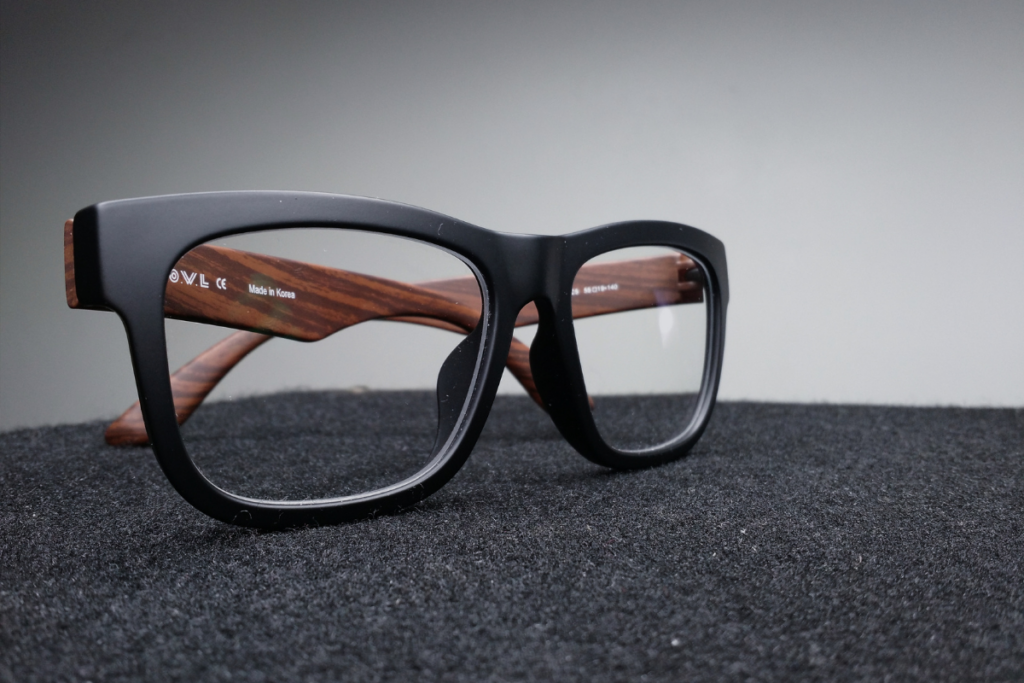
The Peepers Shine On glasses are specifically designed to address one of the most common complaints among heavy computer users: headaches. The clear, magnifying lenses provide a slight boost to near vision, reducing the strain associated with focusing on close-up screens for extended periods.
Balancing Function and Fashion
Despite their specialized purpose, these glasses don’t compromise on style. The range of frame designs ensures that users can find a pair that suits their personal aesthetic, making them suitable for both work and leisure environments.
Cost-Effective Comfort
At approximately $29, the Peepers Shine On offers a middle ground between budget options and premium brands. This price point makes them accessible to a wide range of users while still providing targeted benefits for digital eye strain.
Ideal Candidates for Peepers
These glasses are particularly beneficial for:
- Individuals prone to tension headaches from computer use
- Those who experience eye fatigue but don’t require full prescription lenses
- Users looking for a stylish option that doesn’t break the bank
Comparative Analysis
While they may not offer the advanced technology of higher-end options like the Oakley Airdrop, Peepers glasses provide effective relief for many users at a fraction of the cost. They serve as an excellent option for those seeking targeted headache relief without investing in more expensive eyewear.
Making the Right Choice: Your Personal Eye Protection Plan
In a world where screens dominate our daily lives, choosing the right computer glasses is crucial. We’ve explored five fantastic options, each with its unique strengths. Remember, the best pair for you depends on your specific needs, budget, and style preferences. Don’t let digital eye strain hold you back – invest in your eye health today and enjoy clearer, more comfortable screen time tomorrow!
Leave a Reply