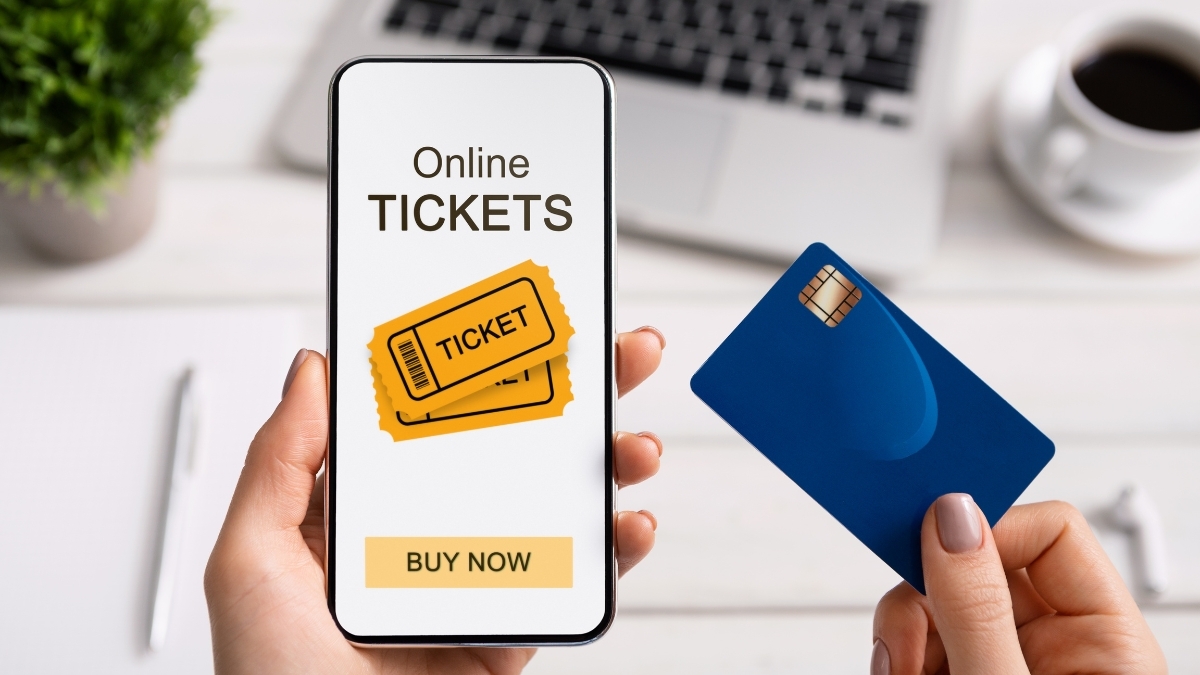
Rummaging through your bag for printed tickets or worrying about losing them is a thing of the past. With Ticketmaster Digital Tickets, you can access every concert, game, or show straight from your phone.
Over 95% of Ticketmaster events now use digital tickets, making entry faster, safer, and more convenient. These tickets don’t just replace paper—they redefine how you experience live entertainment.
You get instant delivery, top-level security, and less waste for the planet. If you’re curious how digital tickets work and how to make the most of them, here’s everything you need to know.
What Are Ticketmaster Digital Tickets?
Ticketmaster Digital Tickets are mobile-based passes stored on your smartphone instead of printed on paper.
You’ll find them in your Ticketmaster account or saved to your Apple or Google Wallet. Each digital ticket includes a secure, scannable barcode or QR code that updates regularly, keeping your entry safe from fakes and duplicates.
This system eliminates paper waste and protects you from counterfeit tickets or delivery mishaps.
Plus, it connects directly to your Ticketmaster account, so managing multiple events becomes simple and organized—all from one app.
How Ticketmaster Digital Tickets Work
Once you buy your tickets, Ticketmaster instantly adds them to your account. Open the Ticketmaster app, tap “My Events,” and you’ll see your upcoming shows. Each ticket includes your seat info, barcode, and event details.
To make entry easier, add your tickets to your phone’s wallet app. This allows offline access, so you can still get in even if you lose service at the venue.
Every barcode refreshes automatically about every 15 seconds, which prevents screenshots or fake duplicates.
When it’s time to enter, staff simply scan your digital ticket to confirm your purchase in real time—quick, safe, and paperless.
Setting Up Your Digital Tickets
Getting started takes just a few minutes:
- Download the Ticketmaster app on your phone.
- Log in or create your account using your verified email.
- Add your tickets to your digital wallet for offline access.
You can also enable notifications for event updates, venue changes, or ticket transfers. Using two-factor authentication adds an extra layer of protection for your account and your tickets.
If you ever forget your password or can’t access your tickets, Ticketmaster’s in-app recovery tools make it easy to reset and get back in.
Transferring or Sharing Tickets
Want to share tickets with friends? You can transfer them right in the app.
Just select the event, tap “Transfer,” and enter your friend’s email or phone number. They’ll get a message to accept the transfer and receive their own digital ticket.
Some events limit transfers to prevent scalping or resale abuse. You’ll see these restrictions clearly before checkout.
If you can’t attend an event, you can also resell your ticket through Ticketmaster’s official resale marketplace. This process verifies every ticket and transfer, keeping everything safe and legitimate for both buyers and sellers.
Digital Ticket Fees and Pricing
The cost of a Ticketmaster Digital Ticket includes the face value plus standard fees. These fees cover service costs, venue charges, and order processing—usually adding around 20–25% to your total.
For example, a $145 ticket might end up at around $180 after fees.
However, there are no shipping costs for digital delivery, and starting in May 2025, Ticketmaster will display all fees upfront with its new All-In Pricing policy, giving you full transparency from the start.
Benefits of Using Ticketmaster Digital Tickets
Here’s why fans love them:
- Instant Access: Tickets appear in your account within minutes.
- Stronger Security: Dynamic barcodes stop fraud and duplication.
- Eco-Friendly: No paper, printing, or shipping waste.
- Faster Entry: Scanning takes seconds—no long lines or paper checks.
- Bonus Features: Access interactive maps, concession deals, and live updates in the app.
This streamlined process makes events smoother and more enjoyable for everyone.
Common Challenges and Simple Fixes
- Phone Battery: Always charge before heading out. Bring a small power bank just in case.
- Lost Device: Log into your Ticketmaster account from another phone or tablet to retrieve your tickets.
- App Issues: Keep your app updated, and add tickets to your wallet for backup.
- Weak Signal: Add tickets to your wallet before arrival so you can access them offline.
- No Smartphone: Visit the box office with your ID for assistance.
By planning ahead, you’ll skip stress and enjoy a smoother entry.
Event Day Tips
On event day, open your tickets before arriving. Increase your screen brightness to help scanners read your code easily. If you’re managing multiple tickets, keep them ready before reaching security.
Scanning is fast—just hold your phone up to the reader, wait for the green check, and you’re good to go. Venue staff can help if any issues come up.
How to Get the Most Out of Your Ticketmaster Digital Tickets
Ticketmaster’s app does more than store your tickets. It gives you access to event updates, parking info, setlists, and exclusive content. You can also share your plans with friends on social media and leave feedback after your event.
Enable notifications for reminders, weather updates, and special venue alerts to make sure you don’t miss anything important.
The Future of Event Ticketing
Ticketmaster Digital Tickets are leading a paperless revolution. Features like biometric entry, personalized event recommendations, and crowd-flow technology are already in development.
As venues modernize, digital ticketing will continue to improve security and convenience for fans everywhere.
For now, the best way to prepare is simple: keep your app updated, add your tickets to your wallet, and charge your phone before you go.
Conclusion
The switch to Ticketmaster Digital Tickets isn’t just a trend—it’s the future of live entertainment. You get faster entry, fewer hassles, and total peace of mind knowing your tickets are verified and secure.
Say goodbye to lost paper stubs and last-minute printing panic. Take control of your event experience today—download the Ticketmaster app and make every live moment seamless.
Leave a Reply