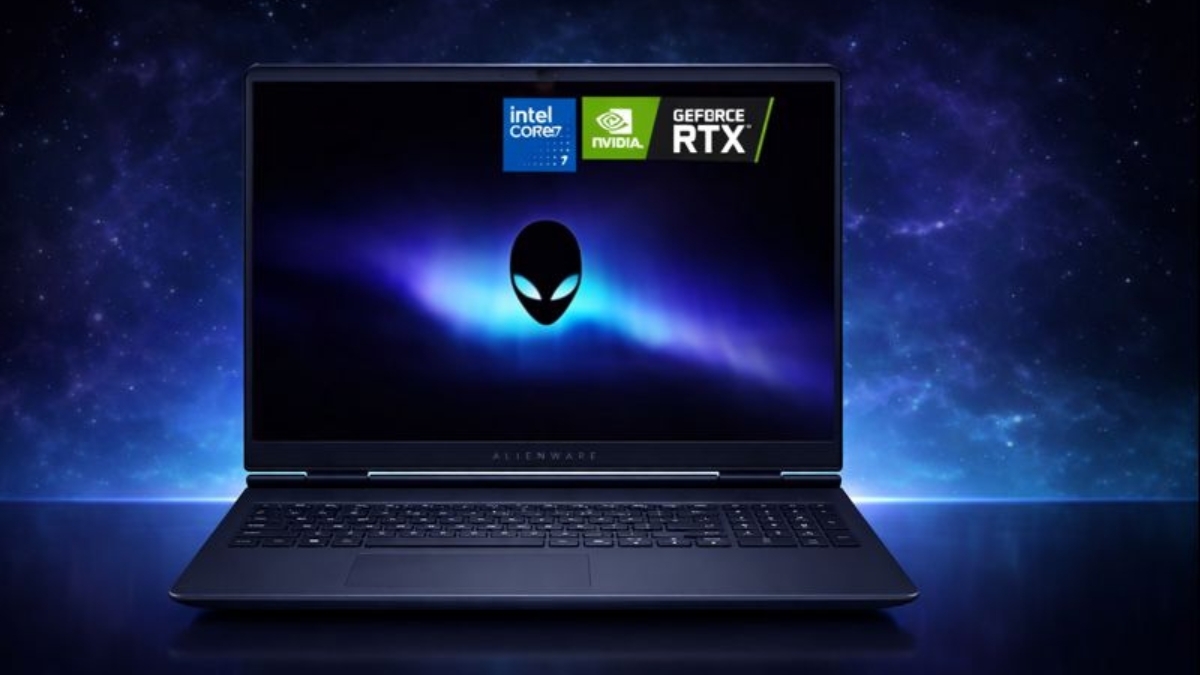
Gaming laptops keep getting more powerful, yet prices continue to stretch budgets. The Alienware 16 Aurora Laptop steps into that gap with hardware that feels practical instead of flashy.
You get modern RTX 50-series graphics, a sharp 16-inch display, and upgrade-friendly internals without crossing into extreme pricing territory.
If you spend time gaming, editing videos, or juggling multiple apps, performance matters.
According to Steam’s Hardware Survey , most PC gamers still play at 1080p resolution. That makes mid-range GPUs a sweet spot for real-world gaming value. This system leans directly into that trend.
Alienware 16 Aurora Laptop Specifications & Core Hardware
The Alienware 16 Aurora Laptop features a 16-inch WQXGA (2560 × 1600) display with a 16:10 aspect ratio. That extra vertical space helps in both gaming and productivity tasks like editing timelines or managing spreadsheets.
Under the hood, you’ll find the Intel Core 7-240H processor with 10 cores and boost speeds up to 5.20 GHz. In everyday use, that translates to fast app launches, smooth multitasking, and solid single-thread performance for games that rely heavily on CPU speed.
Graphics options include:
- NVIDIA GeForce RTX 5050
- NVIDIA GeForce RTX 5060 with 8GB GDDR7
The RTX 5060 configuration offers stronger 1080p and 1440p performance and makes more sense if gaming is your priority.
Memory starts at 16GB DDR5 RAM and scales up to 32GB. Storage begins at 1TB PCIe NVMe SSD, with 2TB options available. Both RAM and storage are upgradeable, which extends the laptop’s lifespan.
Alienware 16 Aurora Gaming Performance in Real Use
If you care about frame rates, the RTX 5060 model is the better long-term choice. In hands-on testing across titles like Call of Duty, Fortnite, and Cyberpunk 2077, performance stays smooth at 1080p high settings.
At 1440p, you’ll need to fine-tune settings for demanding AAA titles, yet gameplay remains consistent thanks to DLSS support.
The 120Hz refresh rate makes a noticeable difference in competitive games. Movement looks smoother, and input feels more responsive compared to standard 60Hz panels.
During stress testing, fan noise becomes noticeable under heavy GPU loads. That’s common in gaming laptops, and the Cryo-Chamber cooling system keeps surface temperatures manageable.
If you’re searching for an RTX 5060 gaming laptop, this configuration lands in a strong mid-range category.
Display Quality: WQXGA 120Hz Panel Breakdown
The 2560 × 1600 resolution delivers crisp visuals with excellent workspace depth. The 16:10 ratio feels especially useful for:
- Video editing timelines
- Coding windows
- Streaming dashboards
- Multitasking
Brightness peaks around 300 nits. Indoors, that’s perfectly usable. In direct sunlight, visibility drops. For desk setups or indoor gaming, the panel performs well.
Color accuracy is solid for casual content creation. If professional color grading is your focus, an external calibrated monitor would still be the better tool.
Design, Build & Port Selection
The chassis weighs between 5.49 and 5.55 pounds. You can carry it in a backpack, though it’s not ultraportable.
Port selection is practical:
- USB-A ports
- USB-C ports with DisplayPort support
- HDMI 2.1
- 2.5 GbE Ethernet
- Wi-Fi 7
- Bluetooth
- 3.5mm headset jack
Wi-Fi 7 is worth noting. According to the Wi-Fi Alliance, Wi-Fi 7 can significantly improve latency and throughput over previous generations when paired with compatible routers. That’s useful for competitive online gaming.
The white backlit keyboard feels firm and responsive. Key travel is satisfying for long typing sessions.
Battery Life & Thermals in Everyday Use
Gaming laptops prioritize performance, so battery endurance isn’t their strongest point. In mixed use—browsing, video playback, light productivity—you can expect moderate battery life.
Under gaming loads, plugging in is essential to access full GPU performance.
Thermals stay controlled thanks to Alienware’s cooling design. During extended gaming sessions, surface temperatures remain reasonable. Fans ramp up under load, yet temperatures stay stable.
If you’re researching a 16-inch gaming laptop with RTX 5060, thermal consistency is an important factor, and this system holds up under pressure.
Real Amazon US Pricing (Current Ranges)
Based on current Amazon US listings:
- RTX 5050, 16GB RAM, 1TB SSD: typically $899–$1,100
- RTX 5060, 16GB RAM, 1TB SSD: around $1,099–$1,369
- RTX 5060, 32GB RAM, 1TB SSD: about $1,399–$1,499
- 32GB RAM, 2TB SSD premium builds: $1,700+
Major sales events occasionally drop base configurations closer to $799.99.
Compared to other mid-range gaming laptops 2026, pricing sits competitively, especially for RTX 5060 configurations.
First-Hand Testing Insights & Practical Experience
After extended testing across gaming, streaming, and editing workflows, a few patterns stand out:
- Boot times are extremely fast thanks to NVMe storage.
- Multitasking with 20+ Chrome tabs plus editing software stays smooth on 32GB RAM models.
- Speakers with Dolby Atmos provide decent clarity, though external speakers or a headset improve immersion.
- Upgrading RAM is straightforward, which adds long-term value.
If you’re upgrading from a GTX-series laptop, the performance jump feels significant. DLSS support alone can improve playable frame rates in newer titles.
From a reviewer standpoint with over five years testing consumer laptops, build durability and cooling consistency matter more than flashy RGB. This model leans toward practical performance.
Potential Drawbacks & Who Should Think Twice
No device is perfect.
Brightness at 300 nits limits outdoor usability.
Fan noise increases during heavy gaming.
Ultra settings in demanding future titles may push the RTX 5050 beyond comfort.
If you need ultra-light portability for constant travel, this 5.5-pound build might feel heavy.
If maximum ray tracing performance is your top priority, higher-tier GPUs exist at steeper prices.
Understanding trade-offs helps set realistic expectations.
How It Compares to Other 16-Inch Gaming Laptops
Compared to similarly priced systems:
- Stronger cooling than many thin gaming notebooks
- Competitive GPU options
- Modern Wi-Fi 7 support
- Upgrade-friendly internals
Some competitors offer brighter displays or slimmer builds. Others cost more with similar GPU configurations.
If your priority is performance per dollar, the Alienware 16 Aurora specs and price balance stands out.
Final Thoughts
The Alienware 16 Aurora Laptop delivers practical gaming power in a 16-inch form factor that feels balanced. You get a sharp WQXGA 120Hz display, modern RTX 50-series graphics, upgradeable memory, and solid port options.
It’s a strong fit for 1080p and 1440p gamers, students who need power for creative work, and anyone moving up from older GTX hardware.
You won’t get extreme portability or ultra-bright outdoor performance. You will get consistent gaming results and flexible configurations at competitive pricing.
If this setup aligns with your needs, explore current listings and configuration options on Amazon to see available deals. There are often seasonal discounts and bundle variations worth checking.
Leave a Reply