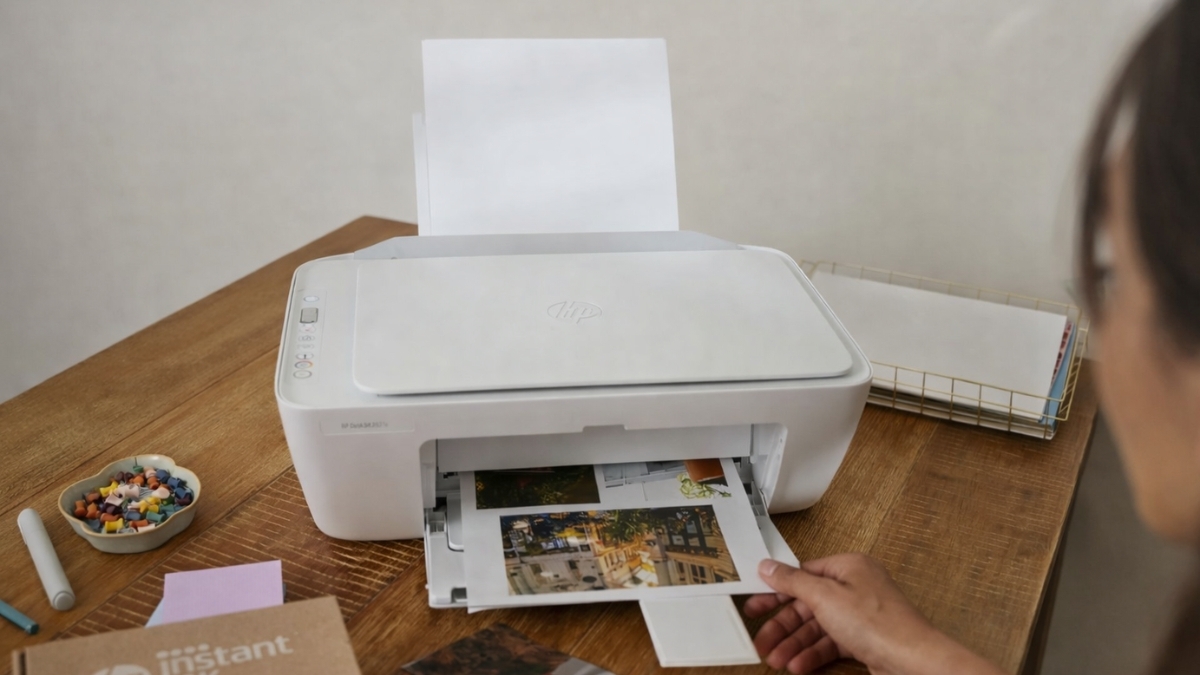
Printers tend to break at the worst time. One day everything works, and the next day nothing connects. That is usually when budget printers enter the conversation.
The HP DeskJet 2827e All-in-One Printer often shows up as a low-cost solution that promises wireless printing, scanning, and copying without taking over the desk.
This model sells on Amazon US for $39.89–$59.99, depending on stock and promotions. It targets students, families, and light home office use. It also includes wireless printing and mobile app support, which helps reduce cable clutter.
After hands-on use for everyday tasks like homework, shipping labels, and basic documents, it becomes clear where this printer shines and where it has limits.
HP DeskJet 2827e All-in-One Printer Overview
The HP DeskJet 2827e All-in-One Printer combines printing, scanning, and copying in a compact body. It fits easily on small desks, shelves, or shared spaces.
Key Specs at a Glance
- Print speed: 7.5 ppm black / 5.5 ppm color
- Print resolution: Up to 4800 x 1200 optimized dpi
- Connectivity: Wi-Fi, Wi-Fi Direct, USB
- Input tray: 60 sheets
- Weight: 7.55 lbs
- Price range (Amazon US): $39.89–$59.99
This printer uses HP 67 and HP 67XL ink cartridges, which are widely available and supported by HP Instant Ink.
Compact Wireless Inkjet Printer for Small Spaces
This compact wireless inkjet printer takes up very little room. The lightweight build makes it easy to move when reorganizing a workspace or storing it between semesters.
The control panel uses physical buttons instead of a touchscreen. That choice keeps things simple and reduces setup confusion. You press print, copy, or cancel, and the printer responds quickly.
HP also uses about 60% recycled plastic, which aligns with current sustainability standards in the printing industry.
All-in-One Home Printer for Everyday Use
As an all-in-one home printer, this model handles basic needs well. Printing documents like school assignments and invoices comes out clean and readable. Text clarity is consistent, even on standard copy paper.
Photo printing works best on proper photo paper. Colors look decent for casual use, though this is not a photo-focused printer. Borderless photo printing is supported, which helps for simple projects and crafts.
Scanning uses a flatbed design. Single-page scans work smoothly, but multi-page documents require manual scanning one page at a time due to the lack of an automatic document feeder.
HP DeskJet Wireless Printer Setup and App Experience
Setup is handled through the HP Smart App, available on iOS, Android, Windows, and macOS. The app walks you through Wi-Fi setup step by step. In real use, setup usually takes about 10–15 minutes.
Once connected, the HP DeskJet wireless printer supports:
- Apple AirPrint
- Mobile printing from phones and tablets
- Cloud printing from Google Drive and Dropbox
The app also allows mobile scanning using a phone camera. That feature works well for quick document sharing and basic digitizing.
Affordable Inkjet Printer with Subscription Options
This affordable inkjet printer includes a 3-month HP Instant Ink trial. After the trial, plans start at $6.99 per month for 100 pages.
Ink Cost Perspective
- Instant Ink works well for predictable monthly printing
- Ink ships automatically before cartridges run out
- HP+ requires genuine HP cartridges only
Some users prefer buying cartridges outright. Others like the subscription for convenience. Both approaches have trade-offs, especially for low-volume printers.
Print Quality, Speed, and Limitations
Print quality is strongest for:
- Homework
- Emails
- Forms
- Shipping labels
Print speed is average for this class. Large print jobs take time. Manual duplex printing is supported, but pages must be flipped by hand.
Limitations to keep in mind:
- No automatic double-sided printing
- No automatic document feeder
- Not designed for high-volume printing
Industry data from Buyers Lab shows entry-level inkjet printers perform best under 300 pages per month, which aligns with HP’s recommended usage.
Eco-Friendly Home Printer Features
This eco-friendly home printer includes:
- ENERGY STAR certification
- Auto sleep and power-off features
- HP Planet Partners cartridge recycling
HP reports that recycled plastic use in consumer printers can reduce manufacturing emissions by up to 30% compared to virgin plastic components.
Final Thoughts and Next Steps
The HP DeskJet 2827e keeps things simple. It works best for light printing, basic scanning, and wireless convenience. It handles everyday tasks without clutter or complex controls.
If printing needs stay modest, this printer delivers consistent results at a low entry cost. Exploring it on Amazon also opens the door to related accessories, paper options, and alternative models that may suit different workflows.
Taking a closer look helps determine if this printer fits your space and printing habits while keeping costs predictable.
Leave a Reply